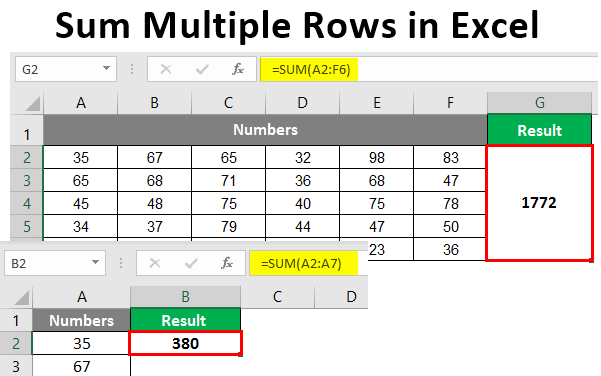
If you're feeling fancy, you can use formulas to add up rows. The SUM formula is your new BFF - just type "=SUM(range)" and replace "range" with the cells you want to add. For example, "=SUM(A1:A10)" will add up the numbers in cells A1 to A10. Easy peasy!
AutoFill feature to add up multiple rows at once. Just select the cell with the formula, grab the little square at the bottom-right corner, and drag it down to fill the rest of the cells. It's like magic, I tell ya!
Now, let's talk about errors - because, let's face it, we all make mistakes sometimes! If you get an error message when trying to add up rows, don't panic! Just check that your numbers are actually numbers (and not text in disguise) and that you haven't got any sneaky typos in your formula. Easy does it, and you'll be back on track in no time.

