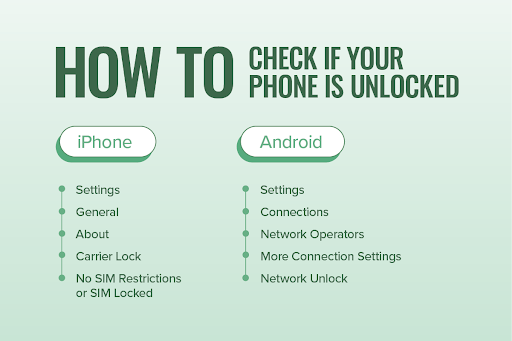
Okay, so how do you know if your phone is unlocked without becoming a tech detective? The easiest way is the SIM card swap test. Borrow a friend’s SIM card—just for a minute—and pop it into your phone. If it connects to their network, makes a call, or shows a signal, you’re golden. If it asks for an “unlock code” or does nothing, you’re locked.
Don’t have a friend willing to hand over their SIM? No problem. You can also try the settings shortcut. On an iPhone, go to Settings > General > About. Look for “Carrier Lock.” If it says “No SIM restrictions,” you’re free as a bird. On Android, it varies, but you can often check under Settings > Connections > Mobile Networks and look for “Network unlock” status. It’s not rocket science—just a little digital snooping.
The “What If” That Haunts You
Here’s the kicker: some phones are locked by default when you buy them on a payment plan or contract. You might have paid off your phone six months ago and assumed it’s unlocked. But carriers don’t always flip the switch until you ask. I had a friend named Sarah who paid off her phone and went to Mexico. She bought a cheap local SIM, and—you guessed it—locked phone. She spent her vacation using public Wi-Fi in a taco shop. Don’t be Sarah.
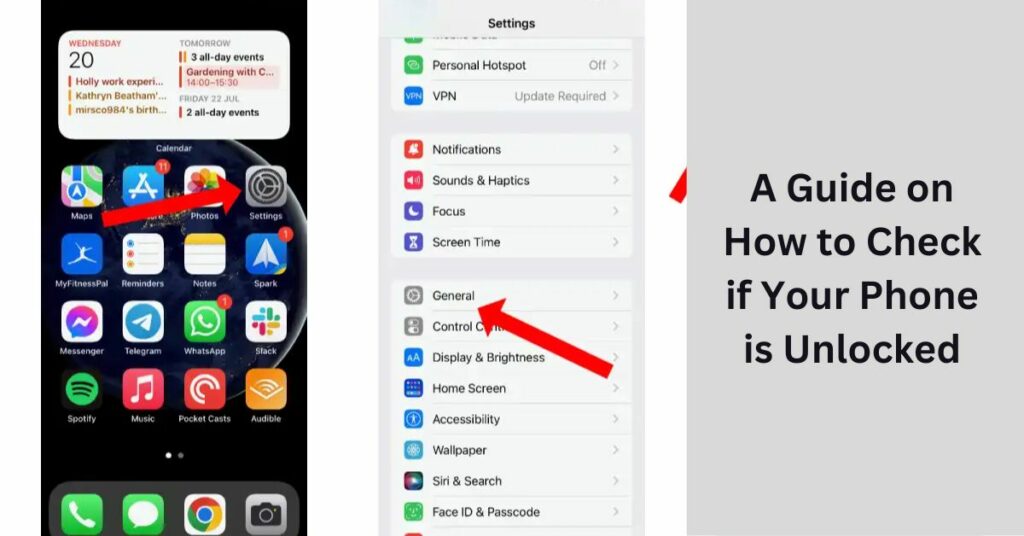 A Guide on How to Check if Your Phone is Unlocked
So, call your carrier. It sounds boring, but it takes five minutes. Say, “Hey, is my phone unlocked?” They’ll check. If it’s not, they can often unlock it on the spot if you’re out of contract or have paid it off. Some carriers even have an online portal where you can submit a request. It’s like asking for permission to breathe—you shouldn’t need it, but the relief is real.

