Most of the time, the problem is as simple as a sign-out gone rogue. Maybe you changed your Apple ID password and forgot to update it on the iPad? That’s like having the same house key but a different lock—your devices just won’t let each other in. Another classic: both devices need to be on the same Wi-Fi network, not just any network.
I once spent an hour troubleshooting, only to realize my iPhone was on the “Guest” Wi-Fi and my iPad was on the “Main” one. They were basically in different rooms at a party, shouting at each other through a wall. Not cool, Wi-Fi. Not cool.
iCloud: The invisible bridge that sometimes wobbles
Your iCloud account is the magical bridge between your iPhone and iPad, but even bridges need maintenance. If you’ve got iCloud storage full, it’s like a post office that’s too stuffed to accept new mail—your photos and notes just get bounced back. Check your storage settings; a little spring cleaning there often fixes the whole thing.
 Top 10 Ways to Fix Messages Not Syncing Between iPhone and iPad
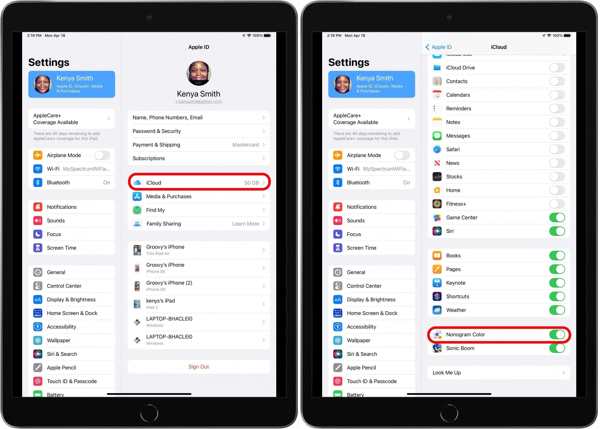
Also, make sure both devices are actually talking to iCloud. Go into settings, tap your name, and check that iCloud is toggled on for everything you care about. It sounds obvious, but I once had Notes turned off on my iPad for three months and wondered why my shopping list was a lonely island.

