First, the public IP address. This is the one the whole world sees. Think of it as your phone’s stage name. When you visit a website, that site sees this single number. It’s like your phone shouting, “Hey, it’s me!” from across the internet.
Second, there’s the private IP address. This one is just for your home network. It’s like the name you use inside your own house. Your router gives it out to your phone, your laptop, and even that smart toaster you impulse-bought. They all get a unique number so they don’t yell over each other.
Your public IP? It usually belongs to your router. Your phone borrows it. So when you ask “what’s my IP,” you’re often asking for your router’s public address. It’s a little like using your neighbor’s Wi-Fi and shouting, “I’m at Dave’s house!” Weird, right?
How to Find It Without Losing Your Mind
Finding your public IP is stupidly easy. Just open a browser and Google “what is my IP.” Boom. Google spits it out like a fortune cookie. It’s a series of numbers, like 192.168.1. something. Don’t freak out by the digits—they’re harmless.
 How to know the IP address of your Android mobile
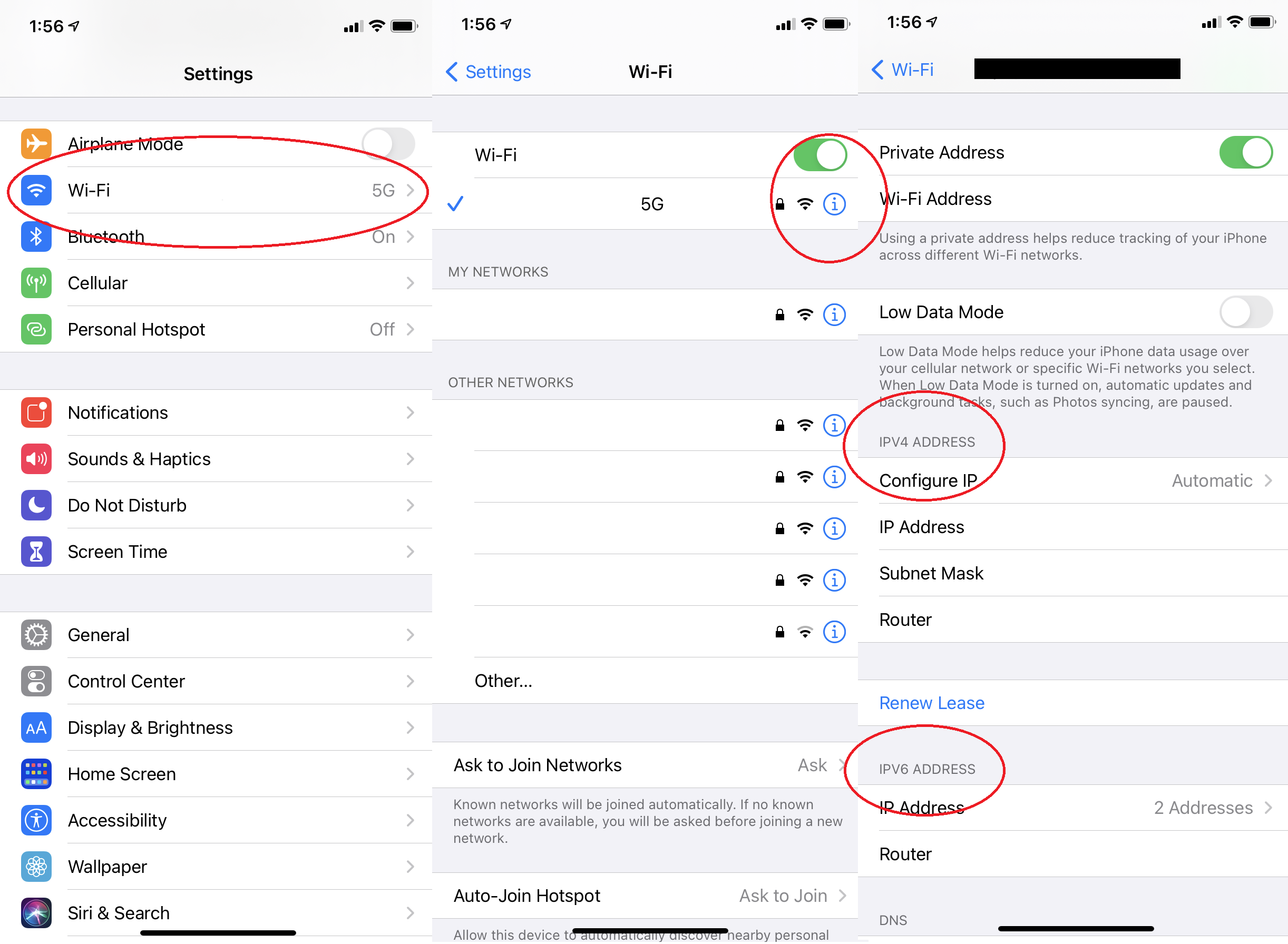
To find your private IP on an iPhone, go to Settings, tap Wi-Fi, and then tap the little “i” next to your network. There it is: IP Address. On an Android, dive into Settings, then Network & Internet, then Wi-Fi, and tap your network’s name. You’ll see it listed as IPv4 or IPv6. Easy as pie, but way less tasty.
And don’t even get me started on IPv6. That’s the new, super-long address that looks like alphabet soup. It’s designed so we never run out of addresses. If your phone has one, just nod politely and move on. You don’t need to memorize it.

