
Open a folder with a file. A photo, a PDF, even a whole movie. Right-click it. Choose “Share” then “AirDrop.” A window pops up showing nearby Macs. Your recipient’s Mac appears as a little gray ghost with their name. Click it. Your file zips away like a startled cat. The other Mac says, “Accept?” They click, and bam—file lands in their Downloads folder. It takes about two seconds for a photo. For a 4K video, maybe ten seconds. That’s faster than you can microwave popcorn.
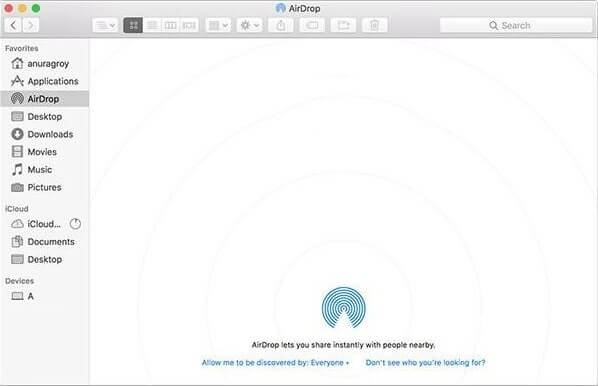 Simple Ways to Transfer Files From Mac to Mac
The Secret Awkwardness of Airdrop
Ever sent a funny meme to the wrong person? AirDrop can be hilariously embarrassing. If you’re in a coffee shop and “Everyone” is on, any Mac can see you. Your boss might get a picture of a dancing hamster. Apple fixed this with the “ten minutes” limit. But still, double-check who’s on the list. I once accidentally sent a grocery list to a stranger. They just stared at their screen, confused. I mouthed “sorry” through the window. True story.
Another weird thing: AirDrop doesn’t work between Macs if one is too old. Like a grumpy grandparent refusing to dance. Also, if your Mac is in “Do Not Disturb” mode, AirDrop goes silent. It’s like throwing a paper airplane at a sleeping bear. Annoying, but peaceful.

