
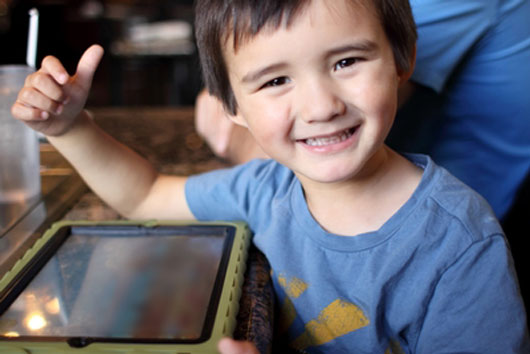
The iPad is an amazing tool for any child, but the best part is its complete functionality for all children, including children with development delays and special needs.It’s also a great tool for adults with special needs.
For years, people with disabilities didn’t have access to entertainment or computer benefits, as these electronics devices were not disability-friendly. But now that there are so many great iPad apps for children with special needs, technology is much more inclusive.
That’s why I got an iPad for my kids. And during the past year I have learned how to choose the best apps for them without spending tons of money. Here are some of my secrets:

DON’T LIMIT YOURSELF TO SPECIALIZED & THERAPEUTIC APPS
We are so used to medical terminology and developmental labels that we unconsciously have learned to search for them. And while there are therapeutic apps out there, the truth is that children with special needs can benefit from almost any iPad app designed for regular children. The secret is to find funny and interesting apps for your child based on the things she enjoys. That’s a surefire way to help them learn while playing. So, identify your child’s favorite TV characters and search for those before you search for medical and developmental keywords.
ALWAYS DOWNLOAD THE LITE VERSION FIRST
Not all iPad apps have a lite version but look for the ones that have this option which allows you to try out an app before committing to a full-price purchase. I know most iPad apps are not very expensive and they are mostly accessible to anyone, but it doesn’t make sense to pay for something that your kids may not enjoy and that will take up memory in your iPad. If your child likes the app and masters the lite version, she is ready to go for the full version.
Read Related: 7 Science Apps for Your Kids
FLASHCARDS RULE
You just can’t go wrong when you download a flashcard app. For children with developmental delays, exposure to words and their meanings is an essential learning tool. There are plenty of free flashcard apps for iPad, but the best ones include the following features:
- They are interactive.
- They not only show the picture and the word but have a voice recording for pronunciation.
- They allow you to personalize cards with daily activities, family pictures, etc.
The more personalized the app, the more your child will learn because she can relate to the people, words and activities she is watching.
HOW SPECIAL NEEDS KIDS BENEFIT FROM iPad APPS
• They learn new words by association. This is the beginning of reading—identifying sounds and meanings.
Suggested Apps: Fill the Gap, Vocal Zoo, Baby Lite, Baby Voice Cards Lite, My First App
• There are plenty of apps that promote basic reading and spelling and are perfect for preschoolers or children with special needs.
Suggested Apps: Starfall, ABCs, Drawing Pen, ABC Tracing, Writing Numbers, Goodnight ABC, Build a Word, Pocket Phonics
• The best exercise for speech is repetition. Look for talking apps that promote the repetition.
Suggested Apps: Road Rally, Dora Rhyme, Rhymie Stymie, Spell Sight, BB Magic#1, Spelling Bug
• For logic and brain development.
Suggested Apps: Bubble-Pop, Little Helper, Easy Bake Ultimate Oven, Touch & Learn Morning Routines, Elmo’s Monster Maker, Games Free (Bilingual), Kids Song HD, Little Solver, Mouse Maze
Tap to Talk has a lite version that’s perfect for non-verbal children; this version allows you to add your own pictures and sounds.
DON’T LIMIT HANDS-ON LEARNING
I love the iPad, but as with any other electronic device, it can become addictive if you don’t set limits from the beginning. iPads are so easy to use that children with special needs may get very attached to them, and in doing so, limit their abilities and hands-on learning experiences.
Sometimes my son, who has Down Syndrome, would rather bring me his iPad and press the dinner menu and point, instead of telling me what he wants to eat. That kind of communication is not allowed at my house, as I know that he can talk and he has mastered all the words to tell me what he wants.
There’s no app that can replace real experiences. Your child may learn the meaning of flowers, trees and leaves thanks to flashcard apps, but that will never replace the experience of walking around, touching the leaves, smelling the flowers and sitting under a tree. Keep that in mind. Sometimes technology leads us to forget just how important the simple things are.


I download flashcards to my iPad and my son loves playing with them. His favorite app is English flashcard by BH Inc. I’m glad that he is interested in learning new words and getting used to hi-tech devices. You can have a look at the developer of that application at http://www.superflashcard.com
Check out this iPad app: All About Me Storybook. It is an that helps kids organize and learn all their personal, basic information as well as their interests, friends, and more using text, audio and pictures.
Here is a link to a video and review for it: http://www.kidsbestipadapps.com/All-About-Me-Storybook.html
If you can’t post a link here, then check it out on iTunes or the App Store.
I love that you wrote “There’s no app that can replace real experiences.”
That is a good message for all parents.
A friend on Facebook shared this with me today
by Lauren S. Enders, MA, CCC-SLP
SLP/Augmentative Communication Consultant/Assistive Technology Consultant:
Assistive technology tools, resources, apps
http://pinterest.com/lasenders/
I had to take a walk after looking at it for half an hour! We should have gone outside after 15 minutes.
:-)
Thank you for this very informative article! Our community members are starting to use apps to communicate and we will tell them about this review!
Cerebral Palsy Family Network
Its helps kids organize and learn all their personal, basic information.
need help…..
Hi to all,
I have son,who is 12 years old with Global Develomental Delays,I would like to get an Ipad,
If any one know,How to get free Ipad,please help me out.
Thank you
please e-mail me with extra info
nagulan71@hotmail.com
I am from Ontario
You can approach a service organization such as the Lion’s Club, Rotary Club or even McDonalds to see if they would consider purchasing one for you. You may need to fill out an application or do a presentation to the group.
I would like to know if anyone would be able to help me find out information on how to get a iPAD for 4 year old daughter. She was dianogose was langenhan cell histiocytosis when she was 2 years and just currenly finished undergoing her last round of chemo the first of Novemeber. All she wants for Christmas is a iPad.
Does anyone know how I could get her one for the holidays??
cmtapia1@yahoo.com
I work as a support worker for disability and would like introduce some a program to anther staff using a iPad as a Communication device I been trying to introduce this as I think this would help assist with some or all the clients please email me any helpful information about iPads apps that would help communicate with the the clients
hola mi nombre es Nilda tengo un nino de 4 con sindrome de down y el neurologo le preescribio un ipad pero necesitan la respuesta de su terapeuta del habla la cual me ha negado la carta porque dice q no esta autorizada a hacerla.La comision para ninos con necesidades especiales me lo pueden conseguir pero necesitan su respuesta.Que puedo hacer